0%

Modern web applications face pressure from automated attacks, exposed APIs, and rushed software releases. A web application firewall can help filter malicious requests before they reach application code. However, it cannot repair weak authentication, unsafe business logic, or unpatched servers.

The Verizon 2024 Data Breach Investigations Report found that vulnerability exploitation as an initial access method increased by 180%. That finding matters because internet-facing applications often become the first visible door. IBM’s Cost of a Data Breach Report 2024 placed the global average breach cost at $4.88 million. Prevention deserves attention.

This guide presents seven practical web application firewall tips for better security. The recommendations focus on accurate rule tuning, API visibility, bot management, logging, and continuous testing. A useful WAF should block suspicious requests without interrupting legitimate customers. That balance is difficult.

Think of a checkout request carrying a product ID, session cookie, and payment token. One overly broad rule could block it. One missing inspection rule could expose it. Experienced security teams review these decisions with developers, not in isolation. OWASP’s Top 10 continues to highlight injection, broken access control, and security misconfiguration as major application risks. A WAF supports defenses against some of these risks, but it is not a silver shield.

The uncomfortable lesson is simple: deployment alone proves little. Teams must measure blocked attacks, false positives, response time, and coverage gaps. These seven tips offer a practical starting point, while leaving room for testing, correction, and honest review.
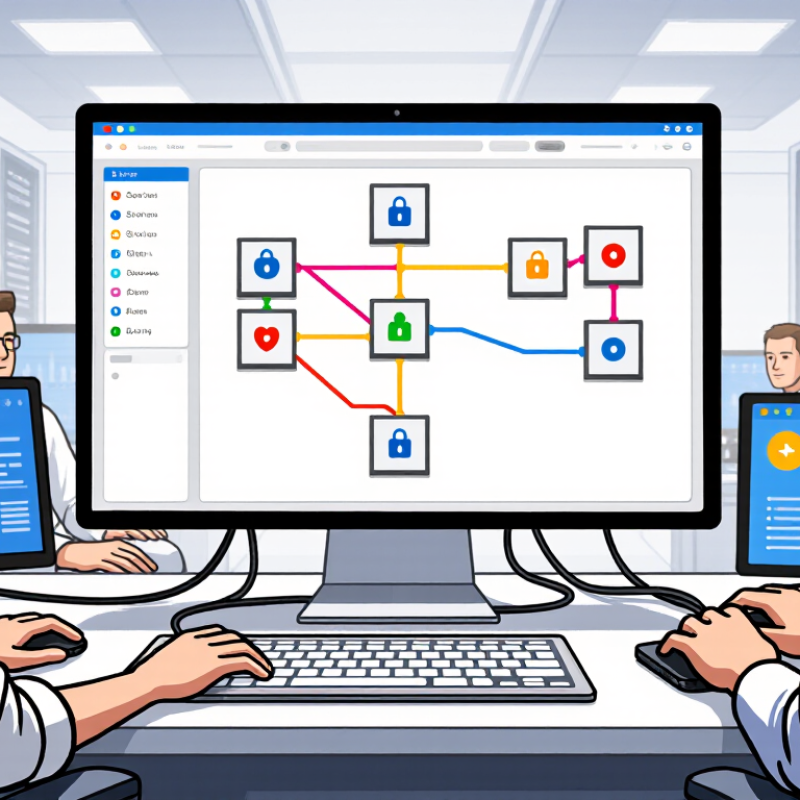
7 Web Application Firewall Tips for Better Security?

Understand the Role of a Web Application Firewall

7 Web Application Firewall Tips for Better Security

Understand the Role of a Web Application Firewall

A web application firewall filters HTTP traffic before it reaches application code. It helps identify hostile requests, abnormal patterns, and common injection attempts. It is not a complete security strategy. That distinction matters.

The 2024 Data Breach Investigations Report attributed 14% of breaches to exploited vulnerabilities.

Credential abuse accounted for 22%.

These figures show why traffic inspection must work beside strong authentication, patching, and secure development. A practical WAF program starts with seven habits: map critical applications, enable managed rules carefully, limit exposed endpoints, inspect API traffic, rate-limit abusive requests, log blocked events, and test rules after every major release.

Visibility is essential.

A blocked request without context can hide a real attack or a broken customer workflow. Security teams should review request paths, response codes, user agents, and unusual location patterns. Short logs help.

The 2024 Cost of a Data Breach Report estimated the global average breach cost at 4.88 million dollars. A WAF cannot prevent every incident, especially when attackers use valid credentials or exploit business logic. False positives remain a practical weakness. I have seen strict rules interrupt legitimate uploads and checkout flows. Teams should stage changes, measure false blocks, and document exceptions with expiration dates. Regular penetration testing and incident exercises can reveal gaps that dashboards miss. The control works best when engineers, analysts, and application owners review its evidence together.

Identify Applications, Risks, and Protection Requirements

A web application firewall works best when its protection matches the applications behind it. In security reviews, I start with a current application inventory. Map every endpoint. Include forgotten test hosts, public APIs, mobile services, and administrative paths. Assign each application an owner, business purpose, and data classification. This prevents important systems from disappearing inside vague network diagrams.

Rank risks by exposure, sensitive data, and realistic attack paths. Protect the highest-risk routes first. Identify login pages, payment workflows, file uploads, and customer records. Define protection requirements for each area, including allowed methods, request sizes, authentication expectations, and acceptable traffic rates.

Small details matter. API endpoints need explicit schemas and method controls. Login functions often need stricter rate limits than public search pages.

Observe traffic before blocking it. Logs reveal normal requests, failed authentication, unusual payloads, and seasonal changes. Use that evidence to tune rules and reduce false positives. Test every rule with safe, repeatable cases before production release.

Keep exceptions temporary, documented, and owned by a named person. I have seen teams approve broad exclusions during an outage, then forget them for months. That habit weakens the entire control.

Review alerts with application owners, not security staff alone. Their operational knowledge often explains behavior that looks suspicious.

My early assumption was that more blocking meant better security. It did not. Clear application knowledge produced stronger, quieter protection.

Configure Rules to Block Common Web Attacks

A Web Application Firewall becomes useful when its rules match real attack paths, not just a long checklist. Start with managed protections for SQL injection, cross-site scripting, path traversal, and remote file inclusion. The OWASP Top 10 identifies injection as a major application risk, so these rules deserve careful attention. Block suspicious patterns, but inspect request context, encoding, and parameter names before denying traffic.

In production, I would add rate limits to login, search, and password-reset endpoints. A single address sending hundreds of requests per minute should trigger a challenge or temporary block. Keep stricter limits on administrative paths. The 2024 Data Breach Investigations Report reported an 180% increase in vulnerability exploitation, making rapid patching and virtual rules especially important. Rules can reduce exposure while developers prepare a permanent fix.

Do not trust default settings completely. Review blocked requests every week, compare them with application logs, and test rules in monitoring mode first. False positives happen. A payment field may resemble an injection string, and an API may use unusual JSON structures. I have seen aggressive rules break legitimate mobile traffic. That failure matters. Exclude only verified paths, never entire applications, and document each exception with an owner and review date. Update signatures regularly, limit file uploads by type and size, and alert on repeated evasive patterns. Small rule changes can create large operational effects.

7 Web Application Firewall Tips for Better Security

Recommended WAF rule coverage for blocking common web attacks

The chart compares seven practical WAF rule areas. The coverage score reflects the number of recommended control layers involved, including signature matching, input validation, rate limiting, anomaly detection, and access control. Combining multiple layers helps reduce false negatives against common web attacks.

Monitor Traffic and Update Firewall Policies

A web application firewall is only as effective as its visibility. Monitor traffic continuously, not just during an incident. Track request volume, blocked rules, response codes, geographic patterns, and unusual access to login or payment endpoints. A sudden rise in 401 or 403 responses can reveal credential abuse or an overly aggressive policy. Keep request IDs for investigation.

The 2024 Data Breach Investigations Report analyzed 30,458 incidents and confirmed 10,626 breaches. It also found that 68% involved a non-malicious human element. That finding makes traffic monitoring practical, not optional. Many attacks can resemble normal user behavior at first.

Review firewall policies weekly and after every application change. Remove temporary exceptions quickly. Test rules in logging mode before enforcement, especially around file uploads and API parameters. OWASP guidance also stresses validating inputs and limiting automated abuse. Do not rely on default rules alone.

Small gaps matter. A rule written for yesterday’s endpoint may miss today’s route. Teams should compare blocked requests with application logs, then adjust thresholds using real traffic samples. Some alerts will be noise. That is normal. Ignoring them is not.

A useful review records the rule changed, the evidence behind it, and the expected result. Recheck it after deployment. Policies should evolve with the application, even when the review process feels repetitive.

Test, Review, and Improve WAF Security Continuously

7 Web Application Firewall Tips for Better Security

Test, Review, and Improve WAF Security Continuously

Strong WAF security depends on regular testing, not a single setup. Begin by mapping critical paths, such as login, checkout, file uploads, and administrative pages. Create safe test cases for injection attempts, unusual request rates, and malformed input. Run them in a staging environment before production changes. Test again after every major application update. Small gaps matter.

Review alerts weekly. Do not treat every blocked request as a real threat. During one assessment, a rule blocked a valid customer form because its text resembled suspicious input. The team adjusted the rule and added an approved exception. That decision reduced friction, but it also needed careful monitoring. False positives can hide useful warning signs. Logs tell stories. Read them.

Measure blocked requests, false positives, response time, and uncovered endpoints. Keep a dated record of rule changes, test results, approvals, and rollback steps. Limit access to security settings, and protect logs from unauthorized changes. Ask application developers to review rules when new features launch. Use independent security testing when internal checks become too familiar. Review rate limits, bot patterns, and API behavior separately, because one policy may not fit every service. Avoid copying old rules without evidence. They may no longer match current traffic. Test improvements with controlled simulations, compare results, and refine the policy when evidence exposes a weakness.

7 Web Application Firewall Tips for Better Security? - Test, Review, and Improve WAF Security Continuously

Tip Security Objective Recommended Practice Key Measurement Suggested Target Review Frequency Required Evidence Priority
1Start with a complete application inventory Ensure every public-facing application, API, hostname, and deployment environment is protected and covered by an owner. Maintain an inventory containing application name, business owner, data classification, internet exposure, technology stack, WAF policy, and change contact. Protected assets ÷ known internet-facing assets × 100 100% of known public-facing assets identified; 100% assigned to an owner Monthly and after major infrastructure changes Current asset register, ownership records, DNS review, and WAF coverage report Critical
2Use a staged rule-tuning process Reduce false positives without weakening protection against common web attacks. Deploy new or changed rules in detection or monitoring mode first. Review matched requests, document exceptions narrowly, and move validated rules to blocking mode. False-positive rate = legitimate requests blocked ÷ total legitimate requests evaluated × 100 Less than 1% false positives for business-critical transactions before full blocking Weekly during tuning; monthly after stabilization Rule-change tickets, sampled request logs, exception justification, and approval history High
3Test WAF rules with realistic attack traffic Verify that the WAF detects and blocks relevant attack patterns without disrupting valid application behavior. Use an approved test plan covering injection, cross-site scripting, path traversal, malicious file upload, protocol violations, and API abuse cases. Run tests in a non-production environment before production changes. Detection coverage = blocked or alerted test cases ÷ total approved test cases × 100 100% of critical test cases detected; no unresolved high-impact regression Before release, after major rule changes, and at least quarterly Test case catalog, request/response evidence, result summary, and remediation tickets Critical
4Protect APIs as well as web pages Detect unauthorized API use, malformed requests, excessive calls, and unexpected methods or content types. Define API routes and methods from an approved specification. Enforce authentication, schema validation, method restrictions, request-size limits, and rate limits appropriate to each endpoint. Documented API endpoints covered by WAF controls ÷ known API endpoints × 100 100% of production API endpoints documented; 0 unapproved methods exposed Monthly and whenever an API version changes API inventory, specification comparison, rate-limit logs, and rejected-request samples High
5Connect WAF telemetry to incident monitoring Make suspicious activity visible and enable rapid investigation across WAF, application, identity, and network logs. Forward structured events with timestamp, action, rule identifier, source information, requested path, response status, and correlation identifier. Avoid storing sensitive payloads unnecessarily. Mean time to acknowledge (MTTA) for high-severity WAF alerts High-severity alerts acknowledged within 15 minutes; log delivery success at least 99% Daily operational monitoring; monthly service review Alert records, log-ingestion dashboard, investigation notes, and incident timelines Critical
6Review rules, exceptions, and access rights Prevent outdated exclusions, unmanaged bypasses, and excessive administrative privileges from reducing WAF effectiveness. Apply documented change control, time-limit temporary exceptions, require peer approval for bypasses, and review administrative access using least-privilege principles. Exceptions with owner and expiry date ÷ total active exceptions × 100 100% of exceptions documented; 0 expired exceptions; privileged access reviewed quarterly Monthly exception review; quarterly access review Configuration snapshots, exception register, approval records, and access-review sign-off High
7Measure performance and improve continuously Confirm that security controls remain effective, available, and compatible with application performance requirements. Track blocked threats, alert quality, latency, availability, rule drift, unresolved findings, and recurring attack patterns. Convert review findings into prioritized remediation work. WAF availability, added latency, unresolved high-risk findings, and recurring blocked attack categories Availability at least 99.9%; added latency within the approved service objective; 0 overdue critical findings Monthly security review; quarterly management review; annual independent assessment Security dashboard, trend reports, performance tests, remediation backlog, and review minutes High

Measurement guidance is aligned with common application-security practices, including continuous testing, centralized logging, least privilege, risk-based remediation, and documented change management. Targets should be adapted to application criticality, traffic volume, regulatory obligations, and service-level objectives.

FAQS

Which web attacks should firewall rules address first?

Start with injection, cross-site scripting, path traversal, and remote file inclusion. These attacks often target common request paths.

How should login and password-reset endpoints be protected?

Apply rate limits to login, search, and password-reset requests. Hundreds of requests per minute should trigger a challenge or temporary block.

Should administrative pages use stricter controls?

Yes. Administrative paths need tighter limits and closer monitoring. A small mistake there can affect the whole application.

Why should rules run in monitoring mode first?

Monitoring reveals false positives before blocking begins. A valid payment field may resemble an injection pattern.

How often should blocked requests be reviewed?

Review them weekly. Compare firewall alerts with application logs, user reports, and recent feature changes.

What should happen when a rule blocks legitimate traffic?

Verify the request, adjust the rule, and monitor the exception. Exclude one confirmed path, not the entire application.

What should security teams record after changing rules?

Keep dated records of changes, test results, approvals, owners, review dates, and rollback steps. Records prevent guesswork later.

How can teams test firewall protection safely?

Map login, checkout, upload, and administrative paths. Use safe simulations in staging, then retest after major updates.

Which firewall results should teams measure?

Track blocked requests, false positives, response time, and uncovered endpoints. Numbers help, but they do not explain everything.

Why should teams avoid copying old rules?

Traffic changes over time. An old rule may miss new behavior or block legitimate requests, and I may overlook that risk.

Conclusion

A web application firewall is an important layer of protection for applications that process online requests and sensitive data. To use it effectively, organizations should first understand how it works and identify the applications, assets, risks, and security requirements that need protection. This assessment helps determine which traffic should be allowed, monitored, or blocked without disrupting legitimate users.

Strong protection also depends on carefully configured rules that address common web attacks, suspicious requests, and unusual behavior. Security teams should continuously monitor traffic, review alerts, and update firewall policies as applications, threats, and business needs change. Regular testing can reveal gaps, while periodic reviews help reduce false positives and improve performance. By combining clear requirements, practical rule configuration, ongoing monitoring, and continuous improvement, a web application firewall can provide more reliable security and support a stronger overall application defense strategy.


Evelyn

Evelyn

Evelyn is a skilled marketing professional with a strong understanding of customer needs, market trends, and practical business solutions. As a key contributor to the company’s content and communications team, she regularly publishes informative blog articles that explain product features, industry......