0%

Content security policy enforcement is a practical defense against script injection, unauthorized data access, and risky browser behavior. It works through carefully defined rules delivered by HTTP response headers. Yet a policy is not automatically safe because it exists. A single overlooked analytics tag can break checkout, login, or customer support tools.

This guide presents seven practical tips for improving content security policy enforcement without treating security as a one-time configuration task. It covers inventorying trusted resources, using report-only mode, managing nonces, limiting third-party content, and reviewing violation reports. These steps reflect common lessons from real deployment work, where browser console warnings often reveal forgotten scripts or outdated integrations.

Small details matter. A missing semicolon can waste an afternoon. A broad wildcard can hide serious weaknesses. A strict policy may also expose brittle application code that nobody documented. That discomfort is useful, although it does not make every recommendation universally correct. Applications differ, and a policy that fits a static website may disrupt a dynamic customer portal.

Reliable enforcement requires testing across browsers, environments, and user journeys. Teams should compare development, staging, and production behavior before blocking resources. Security engineers, developers, and operations staff must share ownership of the policy. Regular reviews are essential because dependencies change, vendors rotate domains, and old exceptions rarely remove themselves. The goal is not perfect security overnight. It is measurable risk reduction, clearer visibility, and a stronger web application security process.
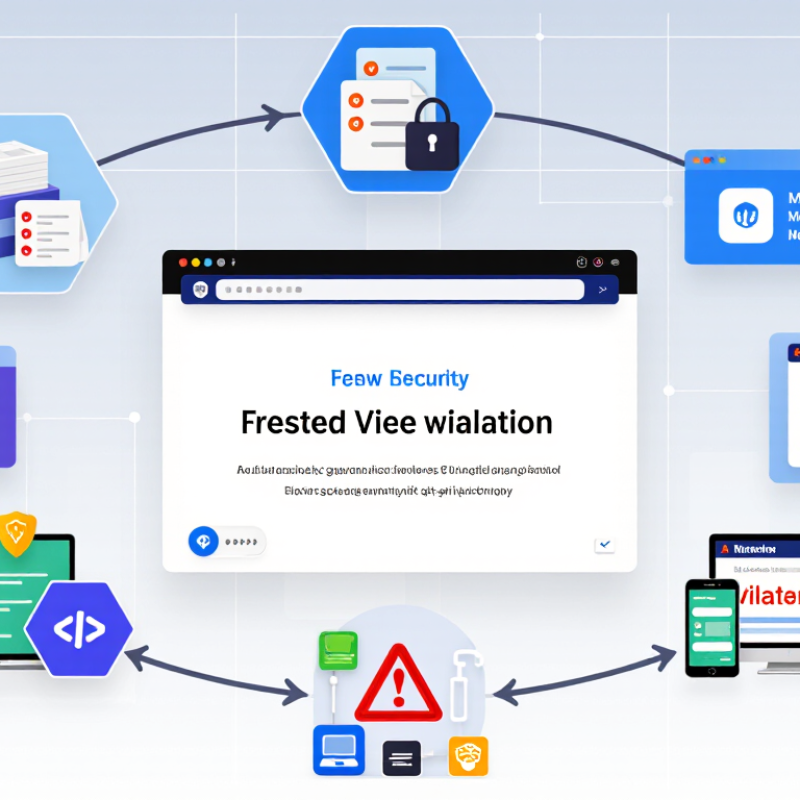
7 Tips for Content Security Policy Enforcement?

Understanding Content Security Policy and Its Enforcement Goals

Content Security Policy Enforcement: 7 Tips for Safer Web Applications

Content Security Policy, or CSP, tells browsers which resources a page may load. Its main goal is to reduce script injection risks, limit unauthorized connections, and contain damage after a mistake. It is not a magic shield. The 2024 Data Breach Investigations Report found that human involvement appeared in 68% of breaches. Clear browser rules can reduce the impact of such errors.

Tip 1: Begin with report-only mode. It records violations without breaking user access. Review blocked scripts, images, frames, and connections for several weeks. Tip 2: Replace broad wildcards with precise sources. A policy using unsafe-inline may appear convenient, but it weakens enforcement. Nonces or hashes provide stronger control for approved scripts. Tip 3: Treat third-party code as a security decision. Each external script can change without your review. I have seen policies fail because one forgotten analytics file remained trusted.

Tip 4: Protect reporting endpoints. Send violation data to a monitored location, then group repeated alerts. Tip 5: Include object-src 'none' and restrict frame ancestors. These directives address older loading paths and clickjacking risks. Tip 6: Test policies across real pages, not only the homepage. Login forms, payment screens, and help widgets often behave differently. Tip 7: Review the policy after every major release. The 2024 Cost of a Data Breach Report placed the global average breach cost at 4.88 million dollars. CSP cannot prevent every incident, but disciplined enforcement can narrow the path. Some policies still become outdated. That requires honest review.

Mapping Trusted Content Sources Before Writing the Policy

Before writing a Content Security Policy, map every trusted content source. This step prevents guesswork and reduces accidental blocking. Record where scripts, styles, images, fonts, frames, and connections originate. Check production pages, login screens, payment flows, and administrative tools. A source that appears only once can still affect security.

Tip 1: Build a source inventory.

Use browser security reports and server logs to identify active dependencies. Compare those findings with application code and deployment settings. Mark each source as essential, temporary, or unexplained. I have found that old analytics endpoints and forgotten development paths often remain visible. They deserve review, not automatic trust. A broad wildcard may solve an outage quickly, but it weakens the policy and creates future maintenance debt.

Tip 2: Separate trusted sources by content type.

Do not place every domain in one general list. A script source should not automatically receive permission to load frames or send data. Define expected behavior for each directive, then test it in report-only mode. Watch real traffic across several business cycles. Some failures appear only during monthly billing or seasonal campaigns. Keep notes about each decision, including uncertain assumptions. That record supports peer review and makes later changes more reliable. Be prepared to revise the map; dependencies change faster than documentation.

Testing CSP Safely with Report-Only Mode

7 Tips for Content Security Policy Enforcement

Testing CSP Safely with Report-Only Mode

A Content Security Policy can protect users from unwanted scripts, but a rushed policy can break real features. Report-Only mode offers a safer testing path. It observes violations without blocking requests. Start by listing trusted scripts, styles, images, fonts, frames, and connection targets. Check browser developer tools and server logs for missing sources. Do not copy every reported domain automatically. Some entries may come from outdated code, extensions, or injected content.

Send violation reports to a controlled endpoint with access limits and clear retention rules. Review the document URL, blocked resource, directive, and timestamp. Remove sensitive query strings before storing reports. Test common journeys, including login, checkout, file uploads, and embedded forms. Use a staging environment that resembles production. It often reveals problems that simple page visits miss.

Keep Report-Only active during several traffic cycles. Compare reports across browsers and user roles. A quiet dashboard does not prove complete coverage. Some clients send incomplete reports. Others send none. That limitation deserves attention. Fix unsafe inline code, replace broad wildcards, and reduce unnecessary third-party connections. Then enforce a small policy for one route or user group. Watch error rates closely. Roll back when a legitimate feature fails. A stricter policy can follow after evidence, not optimism.

7 Tips for Content Security Policy Enforcement

Testing CSP Safely with Report-Only Mode

Use Report-Only mode to observe violations before enforcement. The chart shows a practical rollout sequence and the recommended order for reducing deployment risk.

The sequence follows a gradual security workflow: understand current behavior, collect reports, refine the policy, and enforce it only after expected traffic passes safely.

Strengthening Directives and Managing Exceptions

A strong Content Security Policy begins with precise directives, not a long list of hopeful allowances. Set default-src to self, then define scripts, styles, images, fonts, and connections separately. Add object-src none, base-uri none, and frame-ancestors with deliberate values. These controls reduce unexpected loading paths and make later reviews easier.

Use nonces or hashes for trusted inline scripts instead of unsafe-inline. Avoid unsafe-eval unless a documented requirement remains. Test the policy in report-only mode first, and inspect reports for blocked resources, source locations, and repeated patterns. A checkout page may need one payment connection, while an internal dashboard may need a different endpoint. Context matters.

Exceptions should be narrow, temporary, and owned by someone. Record the reason, affected directive, approval date, and removal deadline. Keep it narrow. Review it monthly. I have seen harmless-looking domains become permanent simply because nobody questioned them. That is a process failure, not only a configuration mistake. Remove unused hosts, rotate nonces correctly, and verify that generated pages never reuse them. After enforcement begins, watch real browser reports and user-facing errors. Some reports will be noisy or incomplete. Treat them as evidence, not absolute truth. A small staging test with older browsers can expose assumptions before production users do.

Monitoring Violations and Maintaining Policy Effectiveness

Tip 1:

Begin with a clear violation-monitoring process. A Content Security Policy should reveal unexpected scripts, unsafe connections, and blocked resources. Review reports daily during deployment, then reduce the schedule when traffic becomes stable. Group repeated violations by page, source, and browser type. This prevents one noisy error from hiding a serious problem. I once treated every report equally. That assumption failed.

Tip 2:

Use staged enforcement instead of making immediate, sweeping changes. Test proposed directives in a controlled environment before applying them across production pages. Compare violation data with approved application behavior. A blocked payment script may indicate a policy gap, while an unknown domain may signal a compromised dependency. Record the reason for every exception. Temporary allowances often become permanent by accident.

Tip 3:

Maintain the policy as application code changes. Assign an owner, review directives during each release, and remove unused sources promptly. Monitor reporting endpoints for missing data, unusual spikes, and sudden drops. A quiet dashboard is not always good news. It may mean reporting has stopped. Security teams should also inspect browser differences and older page templates. I recommend a monthly review, although busy teams may postpone it. That delay deserves attention. Test one change at a time, document the result, and keep rollback instructions available.

FAQS

What should be mapped before writing a Content Security Policy?

Record every source for scripts, styles, images, fonts, frames, and connections. Check production pages, login screens, checkout flows, and administrative tools. Even one unusual source matters.

How can teams build a reliable source inventory?

Compare browser security reports and server logs with application code. Mark each source as essential, temporary, or unexplained. Old analytics paths need review. Do not trust them automatically.

Why should sources be separated by content type?

A script source should not automatically load frames or send data. Create separate permissions for scripts, styles, images, fonts, frames, and connections. This reduces accidental access.

What is the benefit of Report-Only mode?

Report-Only mode observes policy violations without blocking requests. It reveals missing sources before real users lose features. Use it during several traffic cycles. Do not rush enforcement.

What journeys should be tested during CSP preparation?

Test login, checkout, file uploads, embedded forms, and administrative screens. Use staging that resembles production. Simple page visits can miss important failures.

Should every reported domain be added to the policy?

No. Some reports may come from old code, browser extensions, or injected content. Review the document URL, resource, directive, and timestamp. Broad wildcards create future maintenance debt.

Which directives can strengthen a Content Security Policy?

Set default-src to self, then define each content type separately. Consider object-src none and base-uri none. Use deliberate frame-ancestors values. Use nonces or hashes for trusted inline scripts.

How should policy exceptions be managed?

Keep each exception narrow, temporary, and assigned to an owner. Record its reason, directive, approval date, and removal deadline. Review it monthly. Permanent exceptions may signal weak process.

What should teams monitor after enforcement begins?

Watch browser reports, error rates, and user-facing failures. Compare results across browsers and user roles. Some reports are incomplete. Treat them as evidence, not absolute truth.

Conclusion

This guide presents seven practical tips for effective content security policy enforcement. It begins by explaining how Content Security Policy helps control which scripts, styles, images, frames, and other resources a browser may load, reducing the risk of unauthorized content execution. Before creating a policy, administrators should inventory trusted sources, understand application dependencies, and identify resources that require special handling. Testing the policy in Report-Only mode provides valuable feedback without disrupting normal users, making it easier to discover compatibility issues and refine directives safely.

The guide also emphasizes strengthening policies gradually, limiting broad permissions, and documenting carefully reviewed exceptions. Ongoing monitoring is essential: violation reports can reveal configuration mistakes, unexpected dependencies, or attempted misuse. By reviewing these reports, removing unnecessary allowances, updating trusted sources, and retesting after application changes, teams can keep their policies accurate and effective. A thoughtful, continuous approach makes content security policy enforcement more reliable while supporting both application functionality and long-term security.


Alexander

Alexander

Alexander is a dedicated marketing professional with a strong understanding of the company’s products, services, and customer-focused solutions. With extensive experience in market research, content strategy, and digital communication, he is committed to presenting complex product information in a......